
HAM Digi by SA7SVR · HELLAS Zone Net
FT8, FT4, JT65, JT9, JT4, Q65, MSK144, FST4, FST4W and WSPR with the WSJT-X decoder, radio control for every model and a Greek, English or Swedish interface. For Windows, Mac and Linux.

Everything you know from WSJT-X, JTDX and Decodium — made simpler.
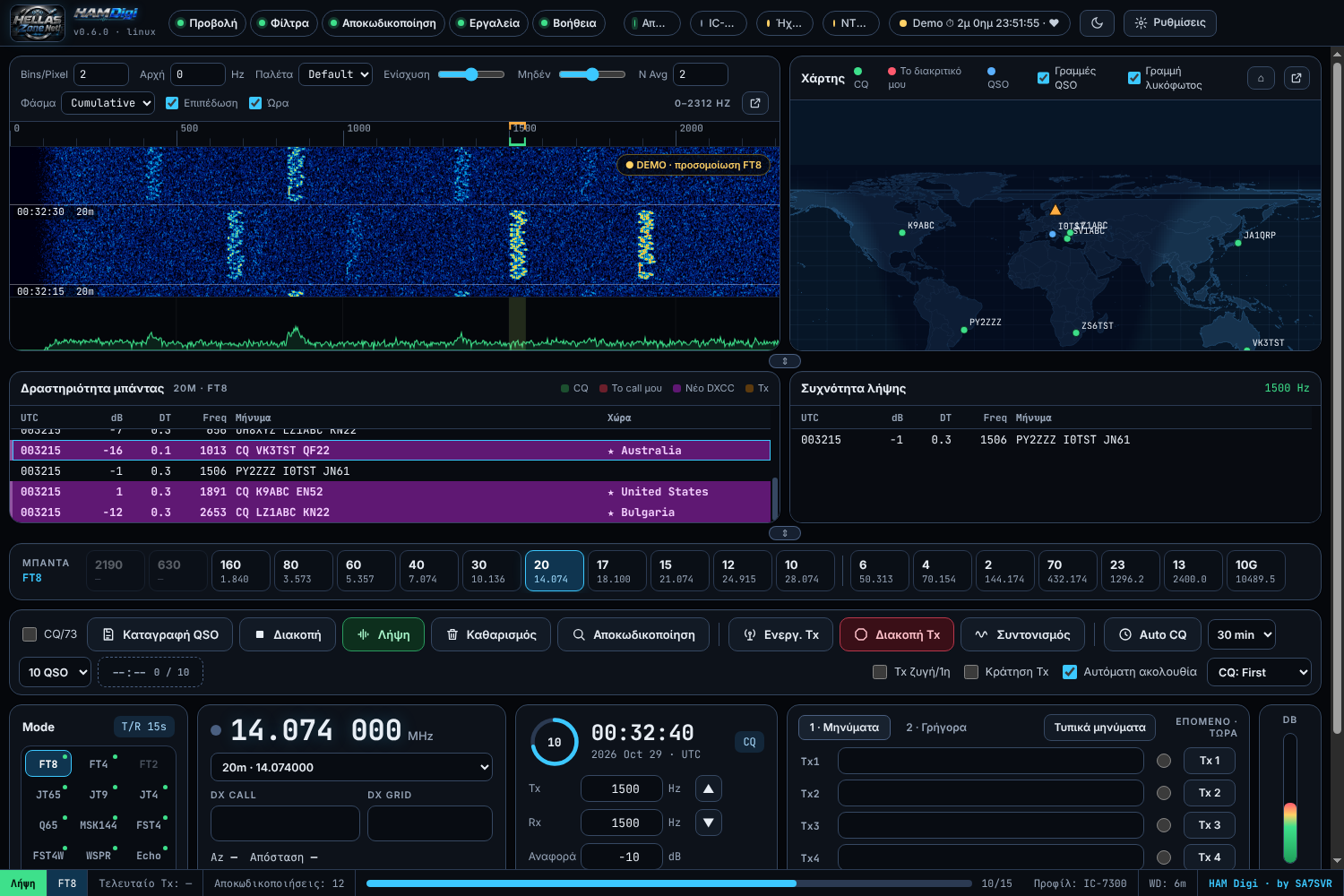
Receive and transmit FT8, FT4, JT65, JT9, JT4, Q65, MSK144, FST4/FST4W, WSPR, CW, RTTY, PSK31, Echo and FreqCal — with our own decoder and encoder.
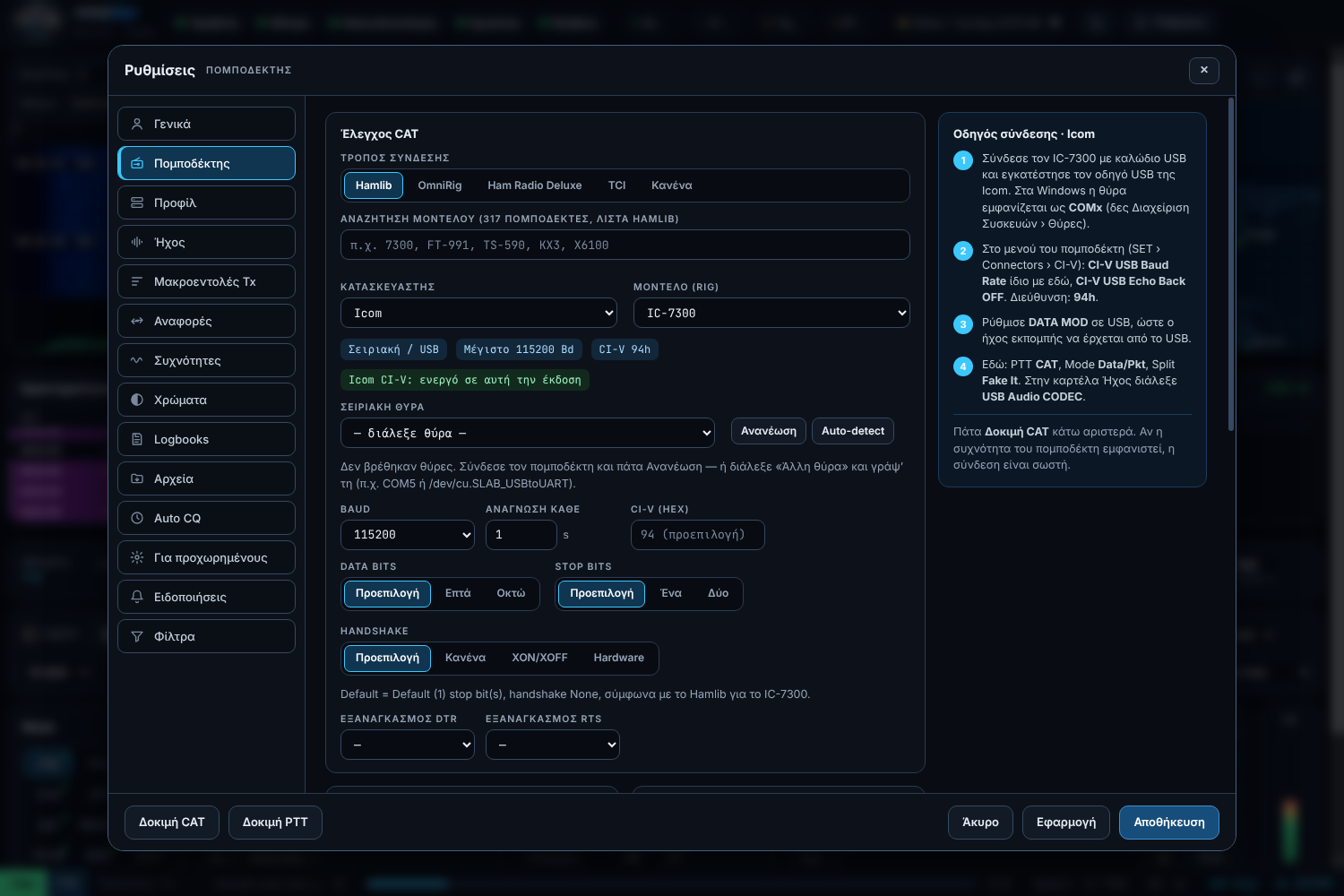
Hamlib 4.7 for hundreds of models, Ham Radio Deluxe (including USB-D), OmniRig, TCI and automatic detection of the radio on USB.
One profile per radio or connection — switch with one click, and it suggests one as soon as you plug another radio in.
Automatic CQ and replies, Wait & Pounce, contests (Field Day, RTTY Roundup, EU VHF, ARRL Digi) and Fox / Hound for DXpeditions.
Every QSO goes automatically to HRD Logbook, N1MM, Log4OM, LoTW, QRZ, Club Log, eQSL, Cloudlog/Wavelog, PSK Reporter and HZ Logger.
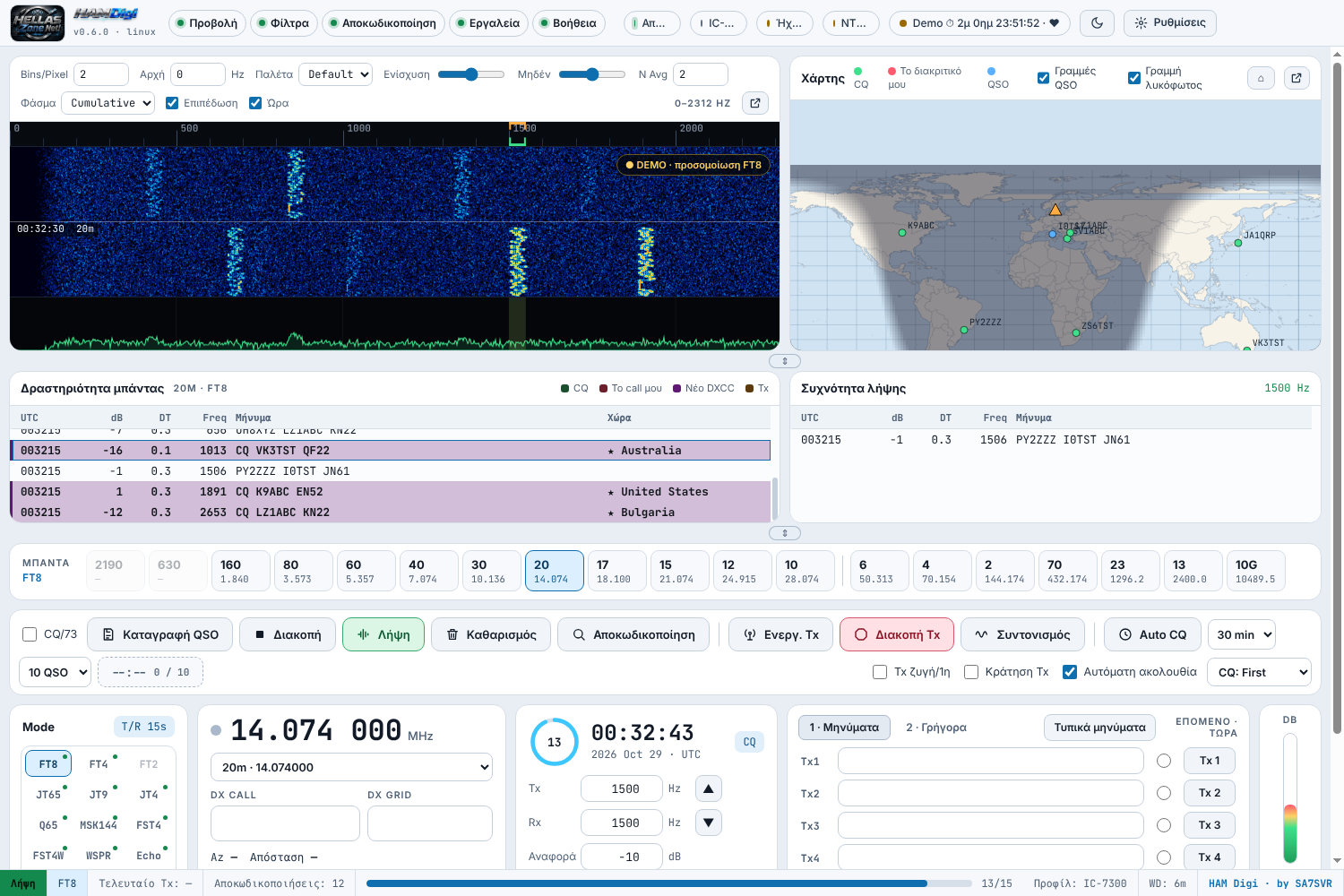
Live map with greyline and QSO lines, waterfall in its own window, DXCC / worked-before colours the way you like.
HAM Digi shares the radio (rigctld 4532) — HZ Logger and other programs work at the same time.
The whole program and the tips on every button, in Greek, English or Swedish.
The same program on Windows 10/11, Mac (Apple Silicon and Intel) and Linux (Ubuntu, Debian, Mint — .deb or .tar.gz).
New versions arrive automatically inside the program — nothing to download again. Settings, log and licence stay as they are.
Fixes and improvements.
Fixes and improvements.
Fixes and improvements.
Fixes and improvements.
Each mode with its own tools. All our own code.
Auto Seq and Wait & Pounce, Fox / Hound with up to 5 stations at once in its own window, early decoding at ~12 s so stations appear sooner.
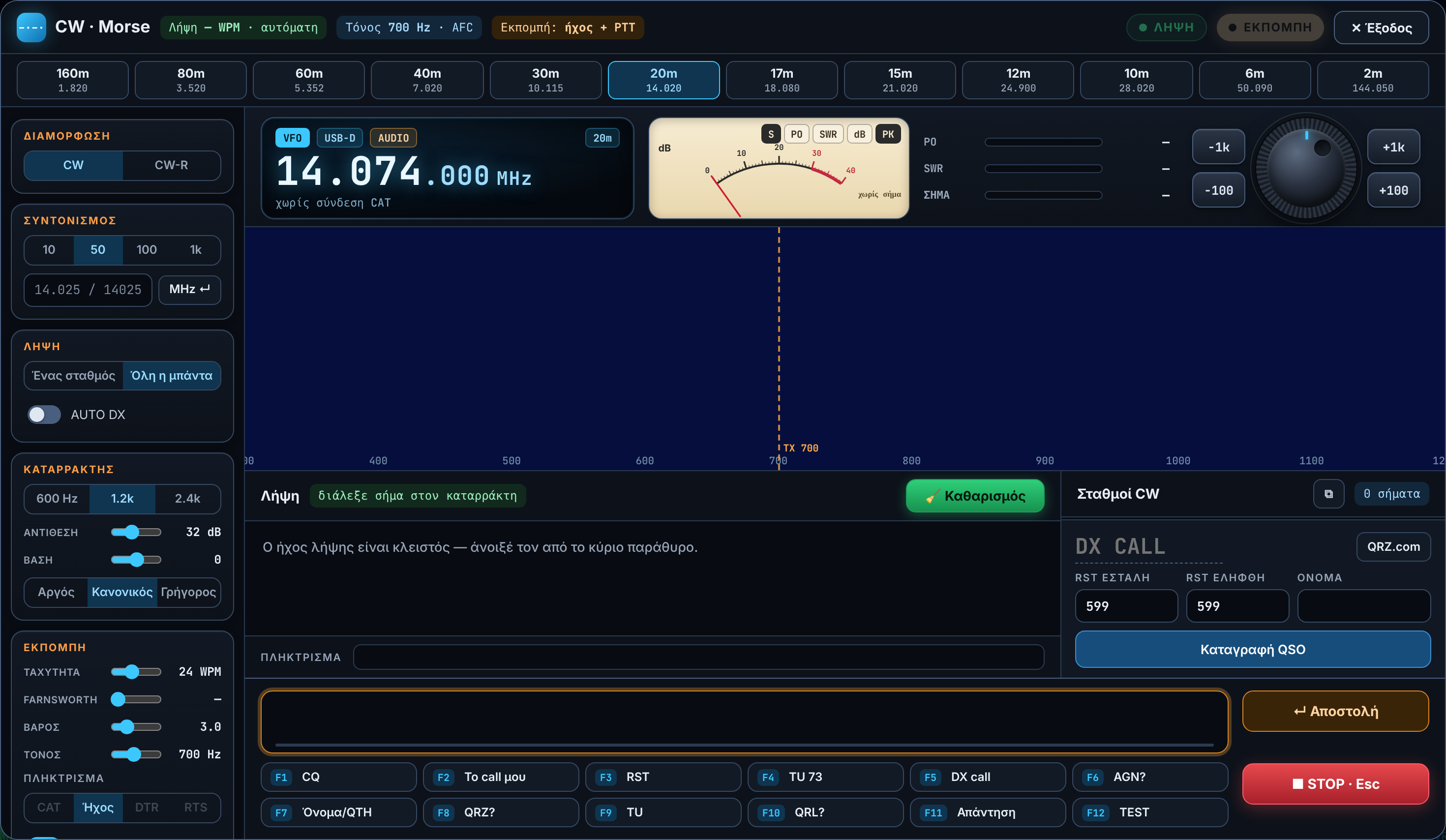
Morse decoder and keyer in its own window: waterfall with click-to-tune, meter, CW/CW-R band buttons, F1–F12 macros, coloured receive, contests with serial numbers and a Cabrillo file.
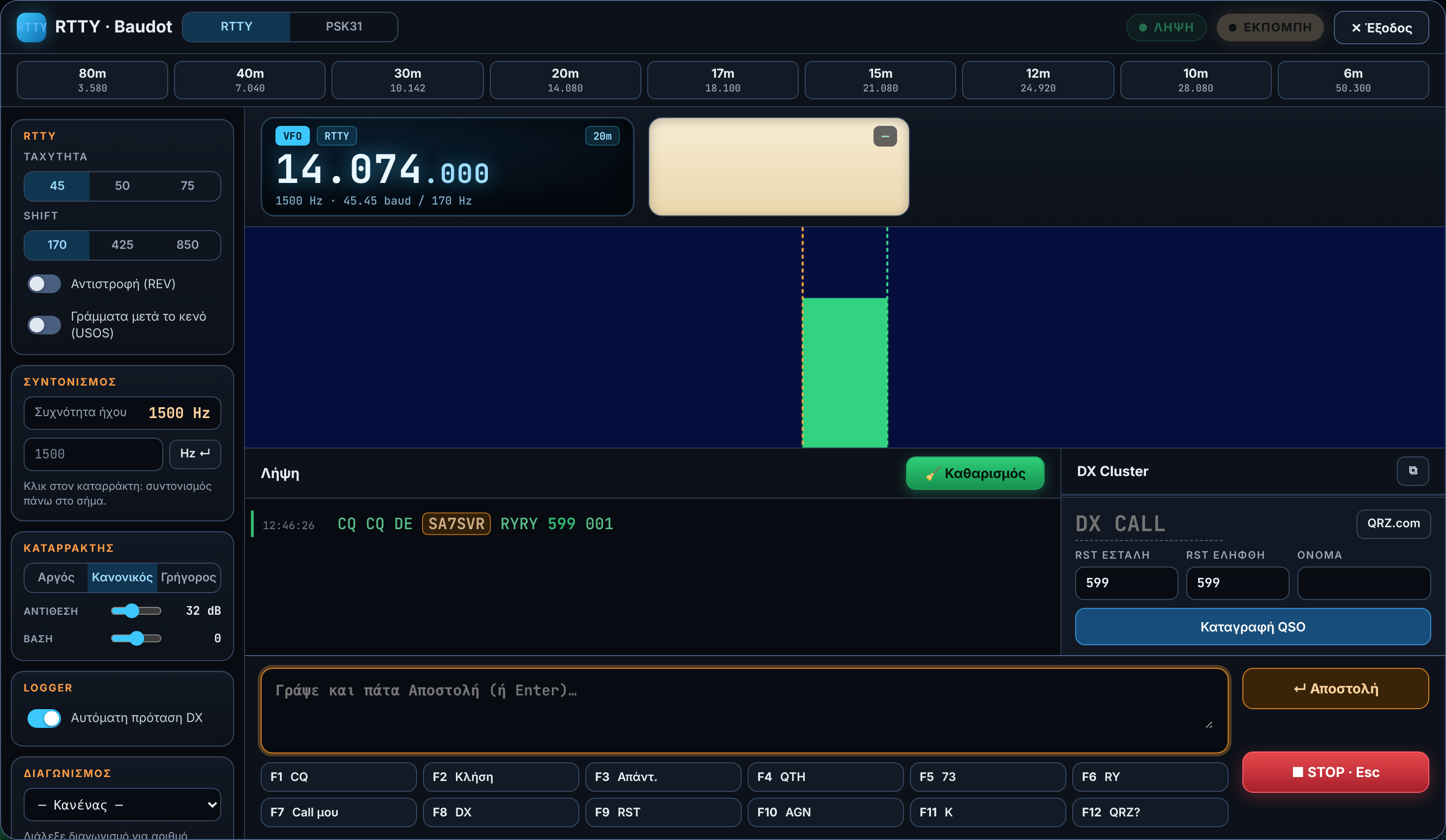
Baudot 45/50/75 baud, 170/425/850 Hz shift, reverse (REV), USOS, waterfall, macros, contests and a Cabrillo file.
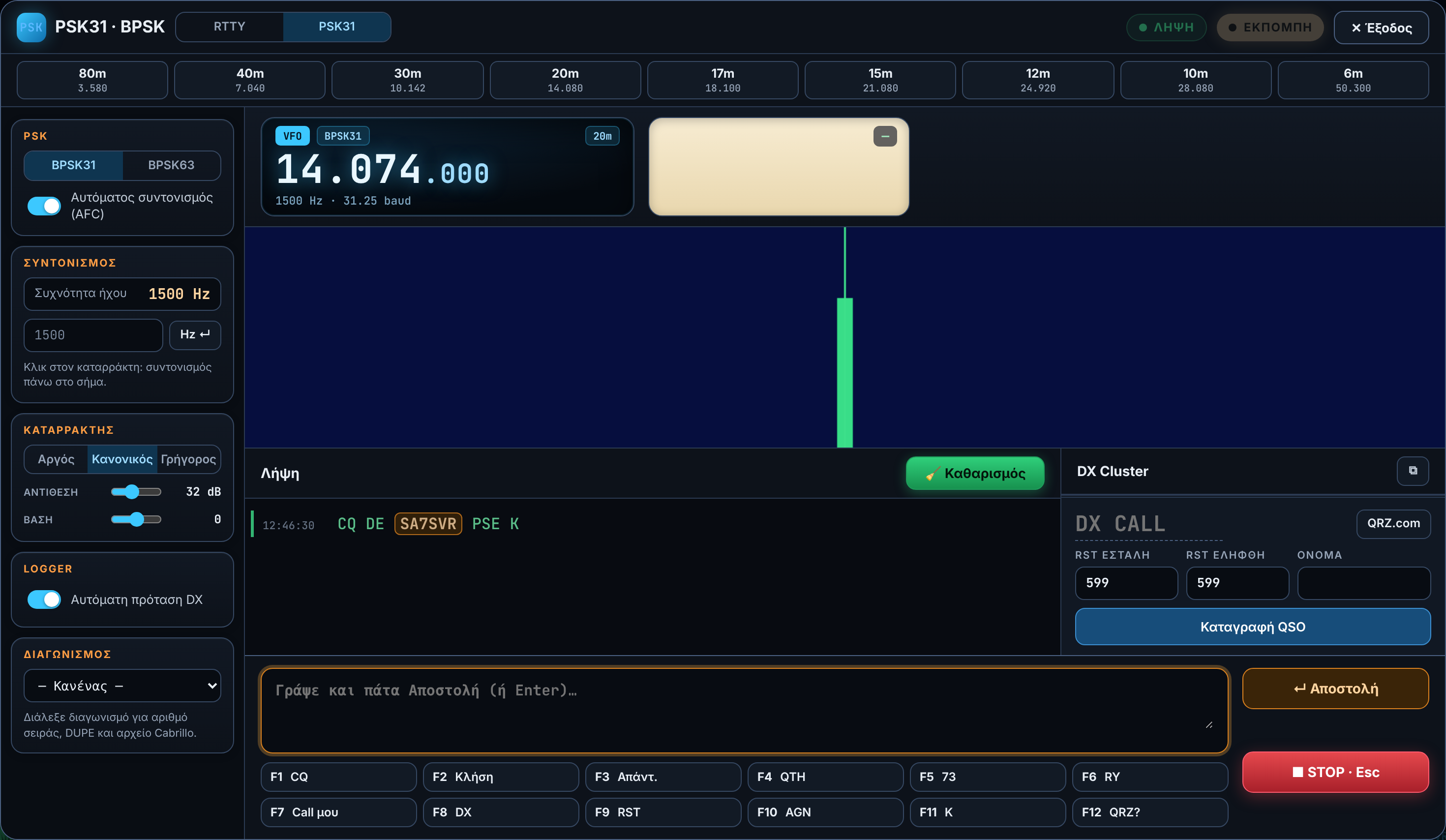
BPSK31 and BPSK63 with AFC, very narrow signal, waterfall with click-to-tune, macros and log.
Low-power propagation beacon, uploading spots to the network.
For EME (moonbounce), meteor scatter and very weak signals on VHF/UHF.
Dark and light theme, settings with tips everywhere.
Latest version: 0.9.14 · 2026-11-07
Windows
HAMDigi-…-Windows-Setup.exe.Mac
HAM Digi.app to Applications.Linux
sudo apt install ./HAMDigi-…-linux-x64.deb./hamdigi (libgfortran5 and libfftw3-single3 are needed).sudo usermod -aG dialout $USER, then log out and in.After that, new versions arrive automatically inside the program.
Write the installation number (HD-…) shown in Help › Licence in the donation note — activation is automatic.
Lost the installer, a licence will not activate, or found a problem? Send a message straight to SA7SVR.